
Error messages while sending
If you're getting any error messages preventing you from sending a transaction, please try the solutions below

- Update Coinomi to the latest version: go to the app store of your Operating System and make sure you are using the most recent version of Coinomi.
- Certify that the wallet is synchronized and fully connected to our servers, by checking all suggestions specific about connection problems here.
- If trying to send your full balance, try sending a slightly smaller amount. For example if you have 1.23 SOL, try sending 1.22 SOL instead.
- Choose "low priority" or "high priority" fees for coins that have these dynamic options, or at the top corner of the confirmation screen select "... / Change fees" and return it to the default value. In rare occasions the error message may suggest that fees are too low or too high, so set the fee manually accordingly.
- When sending tokens on Ethereum, Tron, Solana etc make sure you have enough ETH, TRX, SOL etc to pay the gas fees. Gas fees must be paid with the base coin of the network you're sending on. The tokens cannot be used to pay gas fees.
- If you mine or use faucets of a certain coin, send a smaller amount. Try sending no more than 200x the value of your average deposit mining/faucet. If you're a miner, consider setting your pool to send you less frequent, higher value payouts. Also periodically combine small deposits into a large one by sending your balance back to yourself.
- If sending XRP to an address that has never received deposits before, make sure you're sending more than the minimum reserved balance. Read more here.
- If sending XMR that you've just received, make sure that you've waited long enough (20 minutes should be enough) so that your full balance is now "unlocked". Read more here.
- If our back-end servers are undergoing maintenance or connection problems, please wait until it's finished. Feel free to contact support to check for the status.
- In case of general Android issues out of our control may interfere with your transactions, go to your Android's "Settings -> apps -> Coinomi -> Storage -> Clear cache" and restart your device.
- Make sure that your device's Date and Time are set to "automatic". This is specially important when sending the coins Abncoin, Asiacoin, BitcoinPlus, Blackcoin, Britcoin, Cannacoin, Clams, Clubcoin, Denarius, Ecoin, EDRCoin, GCRCoin, Gridcoin, Hempcoin, InsaneCoin, Landcoin, NavCoin, Neoscoin, Neuro, Novacoin, NuBits, NuShares, OKCash, Peercoin, Pesobit, Pinkcoin, PosWcoin, Potcoin, Putincoin, Reddcoin, Rubycoin, ShadowCash, Solarcoin, Stratis, Toacoin, UltimateSecureCash, VCash, Verge, Vpncoin, Whitecoin.
The transaction is sent from Coinomi, but doesn't confirm
Read our page specific for stuck or unconfirmed transactions here.
The transaction is sent from Coinomi, but not showing in the destination
If you sent funds to an address at another wallet or exchange, but they have not shown up at the destination, please troubleshoot according to these guidelines.
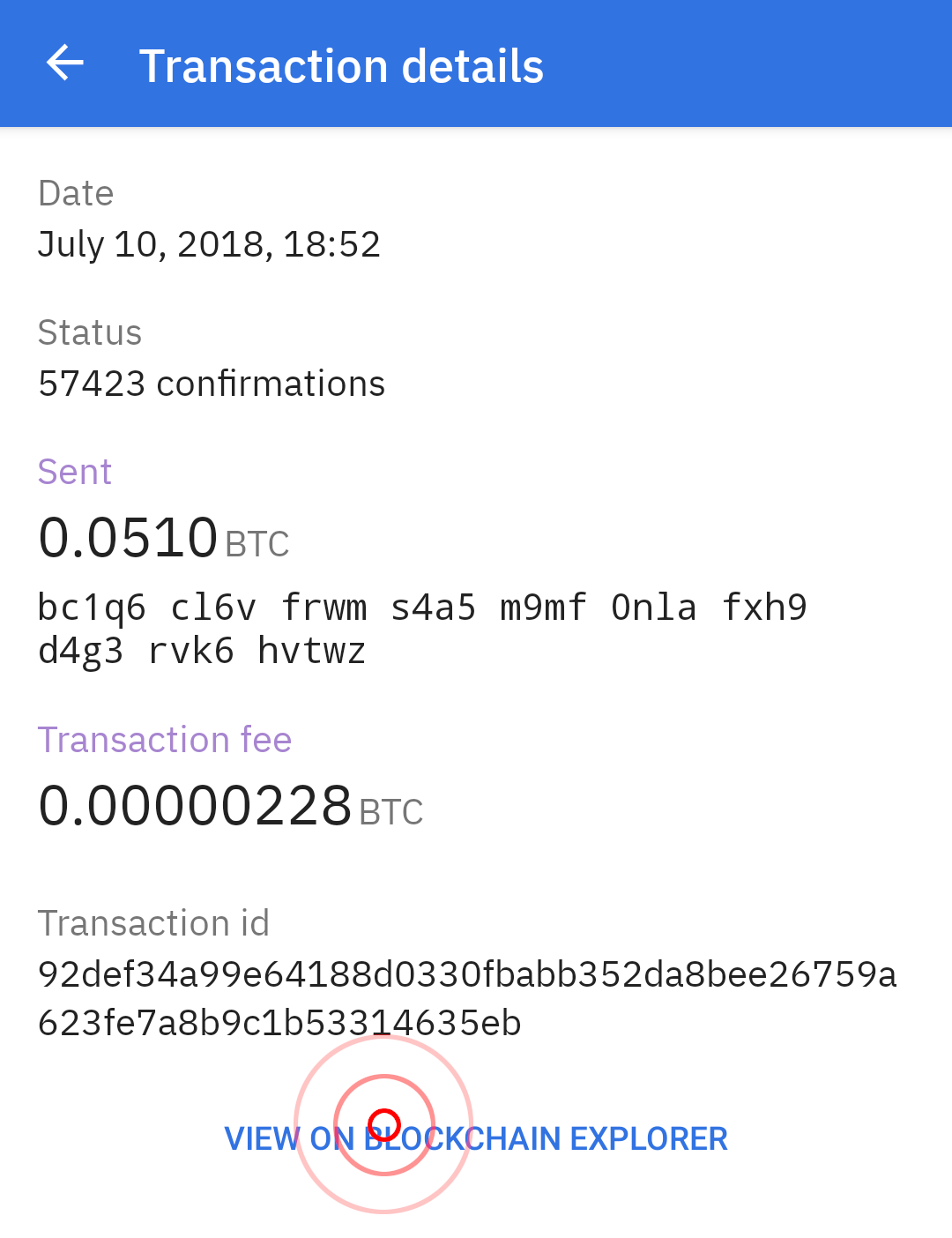
- Your transaction may not have been confirmed yet or has not broadcast. Make sure that the funds have confirmed at your destination address. Once funds are confirmed, they will be shown in the destination wallet. You can view confirmations by opening the transaction details screen and select the "view on block explorer button, or by pasting your transaction ID into the search bar of a blockchain explorer of your choice. Make sure you choose the transaction fees according to the priority of your transaction (read more here)
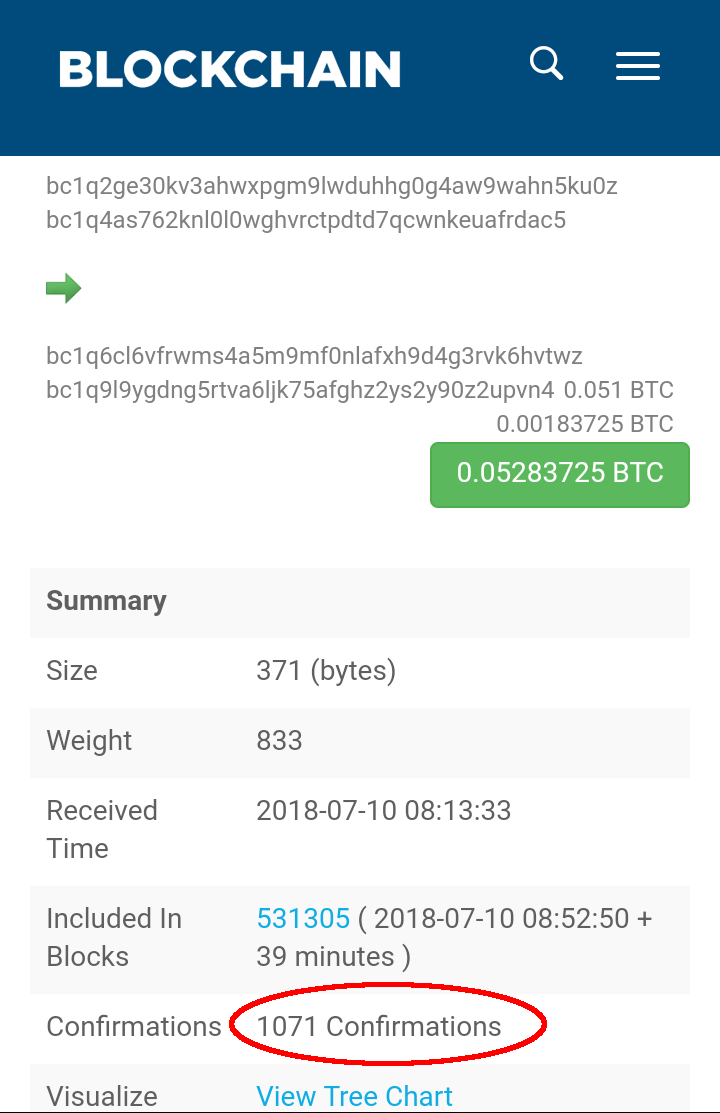
- If the transaction has confirmed on the explorer, verify that you sent funds to the correct destination address and the correct network. For example, if you sent ETH from your Ethereum wallet, the transaction was sent on the Ethereum network. If the receiving wallet monitors transactions on a different network like Base, it will not detect the transaction.
- Make sure that you have waited a sufficient amount of time for your transaction to show up. Many wallets, such as Coinomi, will show a deposit immediately, but only count toward your balance after one confirmation. Some exchanges will require a large number of confirmations before crediting your account.
In the case of NEM, XMR and XRP, if the receiver requires a PaymentID / Memo / Destination Tag, you must use that exact value when sending your transaction to them. If the transaction is confirmed on the blockchain sending your coins, funds are in the destination address, but you will need to contact the recipient in order to resolve this problem. You can read more about PaymentID / Memo / DestinationTag here.
Once the transaction is confirmed on the Blockchain, Coinomi has done its job. If your transaction still does not show at the destination wallet or exchange after performing all of the steps above, please contact the support team for the wallet or exchange you sent to.